Free for all students
VERIFIED By VirusTotal

Your semester,
organized in minutes.

EC Timetable is a free, zero ads and mobile-friendly class timetable builder with Smart Reminders for classes, activities and assessments, AI Timetable Scanner, Multiple Export Formats (png, pdf, ics & csv), Import from Google & Apple Calendar, Detailed Timetable Settings, Advanced GPA Calculator, Attendance Tracker, Cool Social Groups and Support for 40 Languages Worldwide.

✓ Free  ·  ✓ No account needed  ·  ✓ Work on every device

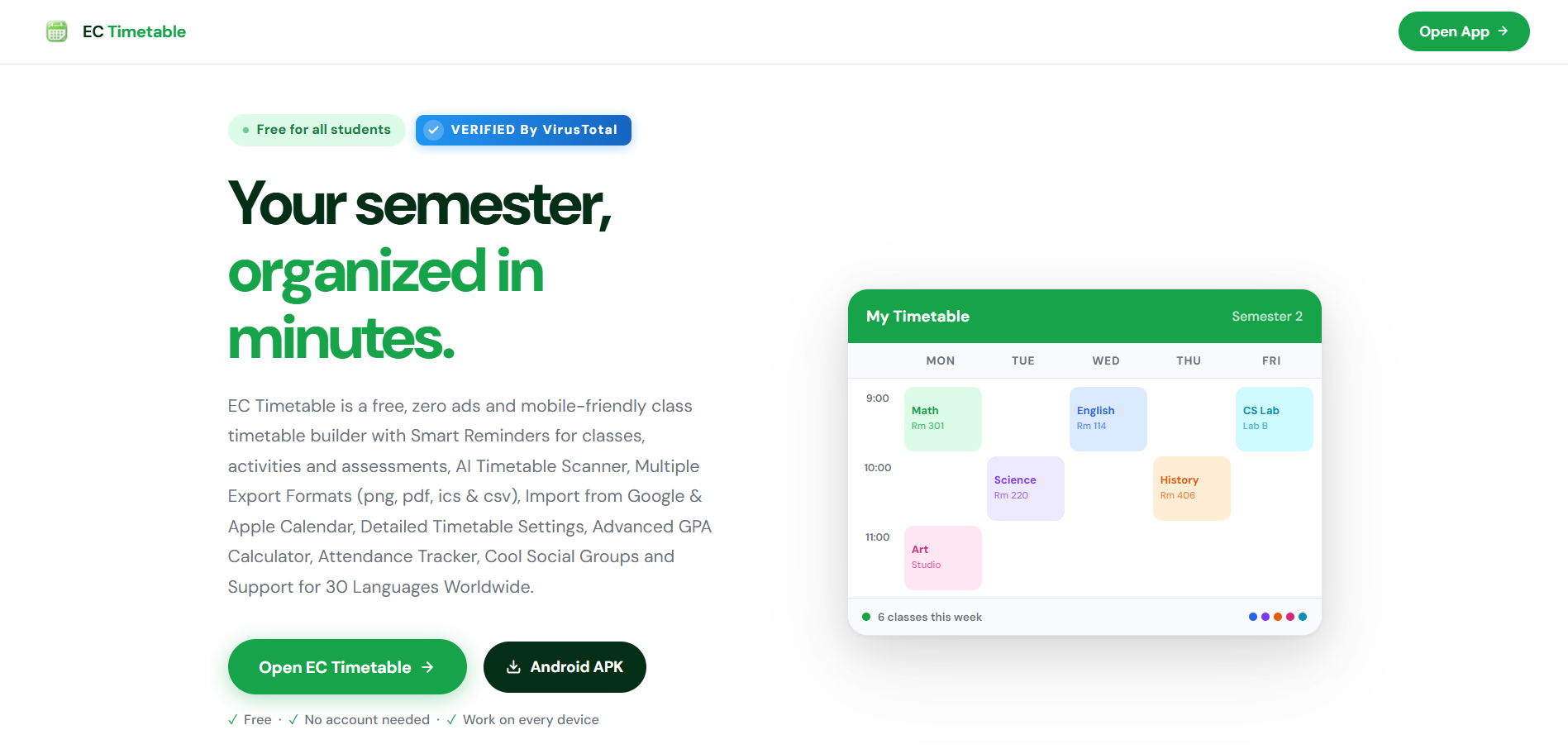
My Timetable Semester 2
Mon
Tue
Wed
Thu
Fri
9:00
Math
Rm 301
English
Rm 114
CS Lab
Lab B
10:00
Science
Rm 220
History
Rm 406
11:00
Art
Studio
6 classes this week

What's included

Everything you need
to stay on track

OCR AI Scan Import

Point your camera at any printed or on-screen timetable and let AI read it for you — your schedule is filled in automatically. No manual entry, no typos.

Smart Reminders

Push notifications arrive before each class starts — so you're never late, even on your most hectic days.

Grid & List Views

See your whole week at a glance or scroll through a clean day-by-day list. Switch views any time with a single tap.

Export as PNG Image

Save your whole week as a crisp image file — share it on WhatsApp, post it to social media, or print it. No app needed to view.

URL, .ICS & .CSV Sharing

Share your timetable via a link, export to .ics for Google & Apple Calendar, or save a .csv — and import from the same formats to switch devices in seconds.

Flexible Time Slots

Set slot intervals to 15, 30, or 60 minutes to match the exact format your university uses.

Native Android App

Download the APK for a full native Android experience — or add to your iOS home screen as a PWA. No app store required either way.

Dark & Light Mode

Midnight cramming or a bright lecture hall — ECTimetable adapts to your environment automatically.

Attendance Tracker

Log every class, set a global attendance floor or per-subject override, and get instant at-risk alerts — so you never lose marks to absences.

PNG
My Timetable Semester 2 · 2026
MonTueWedThuFri
9:00 Math English CS
10:00 Sci. Hist.
11:00 Art
Messages
WhatsApp
Instagram
Telegram

Export as PNG

Share your timetable
as an image

Export your full weekly schedule as a crisp PNG in one tap — ready to send, post, or print without anyone needing to install anything.

  • Share on any platform Send via WhatsApp, Telegram, iMessage, or email — your whole week in one image, instantly readable.
  • Post to social media Drop it straight into an Instagram, Threads, Discord, or any social feed.
  • Print & pin it up Save to your camera roll and print a physical copy for your wall, planner, or notebook.
  • No app needed to view Anyone can see your schedule — no account, no app, no link to click. Just a picture.

Groups

Create a study group in seconds and invite classmates with a short code, a shareable link, or a QR code — no account required for anyone.

Common Free Time

ECTimetable overlays every member's schedule and highlights the slots when everyone is available at once — no more endless back-and-forth to find a meeting time.

Group Chat

Message your group in real time, share images, and coordinate directly inside the app — without needing a separate messaging platform.

Invite Anywhere

Share your group invite to WhatsApp, Discord, Instagram, Telegram, Signal, Snapchat, or TikTok — one tap gets your whole class in.

Group Profile

Set a display name, a short bio, and a profile photo so your classmates know who you are — each group keeps its own profile separate.

Browse Public Groups

Discover open study groups by course or campus. Admins can make a group public so anyone can find it and request to join.

Academic Tools

Homework, activities
& assessments in one place

ECTimetable goes beyond the schedule. Record assignments the moment they're given, log activities alongside your classes, and keep every upcoming test or deadline visible — all without leaving the app.

Homework Recorder

Log homework assignments the moment your teacher sets them. Attach a due date, add notes, and mark tasks complete — your to-do list lives right alongside the class it belongs to, so nothing gets lost or forgotten.

Due dates Per-subject tracking Mark complete

Activities

Clubs, sports, rehearsals, volunteer shifts — whatever fills your day outside the classroom. Add activities to your timetable so your full week is visible in one view, and get reminders before each one starts.

Extracurriculars Reminders Full-week view

Assessments

Record every quiz, test, and exam against the subject it belongs to. Deadlines appear on your timetable well in advance, and push reminders make sure you never walk into a hall unprepared.

Exams & quizzes Deadline alerts Per-subject

Grade Tools

GPA & CGPA
Calculator built in

Track your academic performance semester by semester. Enter your subjects, credit hours, and grades — ECTimetable calculates your GPA instantly, tracks your cumulative score, and tells you your honours standing.

  • Semester Profile Organise your subjects, credit hours, and grades into individual semester profiles. Switch between semesters instantly to compare your performance over time.
  • Honors Reference Know where you stand at a glance — Dean's List, Cum Laude, Magna Cum Laude, or Summa Cum Laude thresholds are shown and updated every time you log a grade.
  • Grade Reference A full letter-grade to grade-point scale is always visible — so you know exactly how each grade affects your GPA before results are released.
  • CGPA Tracker Your cumulative GPA updates automatically as you log results across every semester — no spreadsheets, no manual calculations.
GPA Calculator Academic Tools
Sem 1
Sem 2
Sem 3
Subject Cr Grade Pts
Calculus II 3 A 4.0
English Comp 3 B+ 3.5
Data Structures 4 A– 3.7
Physics I 3 B 3.0
Semester GPA 3.62
Sem 1 3.45
Sem 2 3.62
CGPA 3.54
🎓
Cum Laude Eligible
CGPA 3.54 · Magna threshold: 3.70
Grade Reference Scale
A4.00
A–3.70
B+3.50
B3.00
B–2.70
C+2.50
C2.00
F0.00

Academic Tools

Attendance Tracker
built in

Never fall below the minimum. ECTimetable lets you log every class session, set a global attendance floor or override it per subject, and flags you the moment you're at risk — before it's too late to recover.

  • One-tap Logging Mark yourself present or absent in a single tap per class. Sessions are logged against your timetable automatically, so nothing is ever miscounted.
  • Custom Requirements Set a global attendance floor for all classes, then override it per subject when your professor has stricter rules — ECTimetable tracks each independently.
  • At-Risk Alerts A warning appears the moment any subject dips below its requirement, and the safe-to-skip counter tells you exactly how many sessions you can still miss.
  • Live Percentage Your attendance percentage for every subject updates in real time as the semester progresses — colour-coded green, orange, or red so you know at a glance.
Attendance Semester 2
Global Requirement
Applied to all classes
75%
Math
88% Safe
22 / 25 attended Req: 75%
English
71% ⚠ At risk
15 / 21 attended Req: 80% (custom)
Science
92% Safe
23 / 25 attended Req: 75%
CS Lab
63% Below min
10 / 16 attended Req: 75%
💡 Math: can skip 4 more  ·  English: must attend next 3  ·  CS Lab: must not miss any

How it works

Up and running
in three steps

01

Open the app

No sign-up, no download required. Visit ECTimetable in any browser and you're ready to go — or install it to your home screen for one-tap access.

02

Add your classes

Tap any time slot, fill in the course name, room, and time. Colour-code each subject so your week is instantly readable.

03

Turn on reminders

Enable push notifications once and ECTimetable handles the rest — a heads-up before every class, all semester long.

Multilingual

40+ languages supported

Your timetable, in the language you think in.

Esperanto English 简体中文 繁體中文 粵語 日本語 한국어 Português Español Français Deutsch Italiano Svenska Русский Українська Polski Bahasa Melayu Bahasa Indonesia Íslenska Nederlands Ελληνικά Türkçe Bokmål Kazakh Қазақша Lietuvių Lithuanian Latviešu valoda Swahili Magyar Tiếng Việt Čeština Română Slovenčina עברית ქართული ენა தமிழ் العربية فارسی हिन्दी বাংলা ภาษาไทย

Android

Download for Android

Get ECTimetable as a native Android app — full push notifications, offline access, and a home-screen icon. Pick the source that works best for you.

  • Free
  • Push notifications
  • No account required
  • Works offline on every device
  • 5 install sources
Security Check Completed
No Virus No Spyware No Malware

Verified by: APKPURE, HUAWEI, AMAZON & UPTODOWN

About

About ECTimetable

ECTimetable is a free class timetable app from EdU Space, built for university and college students. Plan your week, track attendance and homework, and get reminders before every class — on Android and the web.
Screenshot of the ECTimetable class timetable app

Free forever

Ready to organize
your semester?

Join students who use ECTimetable to bring order to their class schedules — free, no account, works on any device.

Open EC Timetable